
// tutorial · Mastering
The master chain
Mastering a tekno track in 6 modules: compression + mono, EQ, colour and Ozone if needed, clip + limit with Elevate, then metering. Plus the habits from mix to master.
Intermediate · Ableton · 4 min read · updated
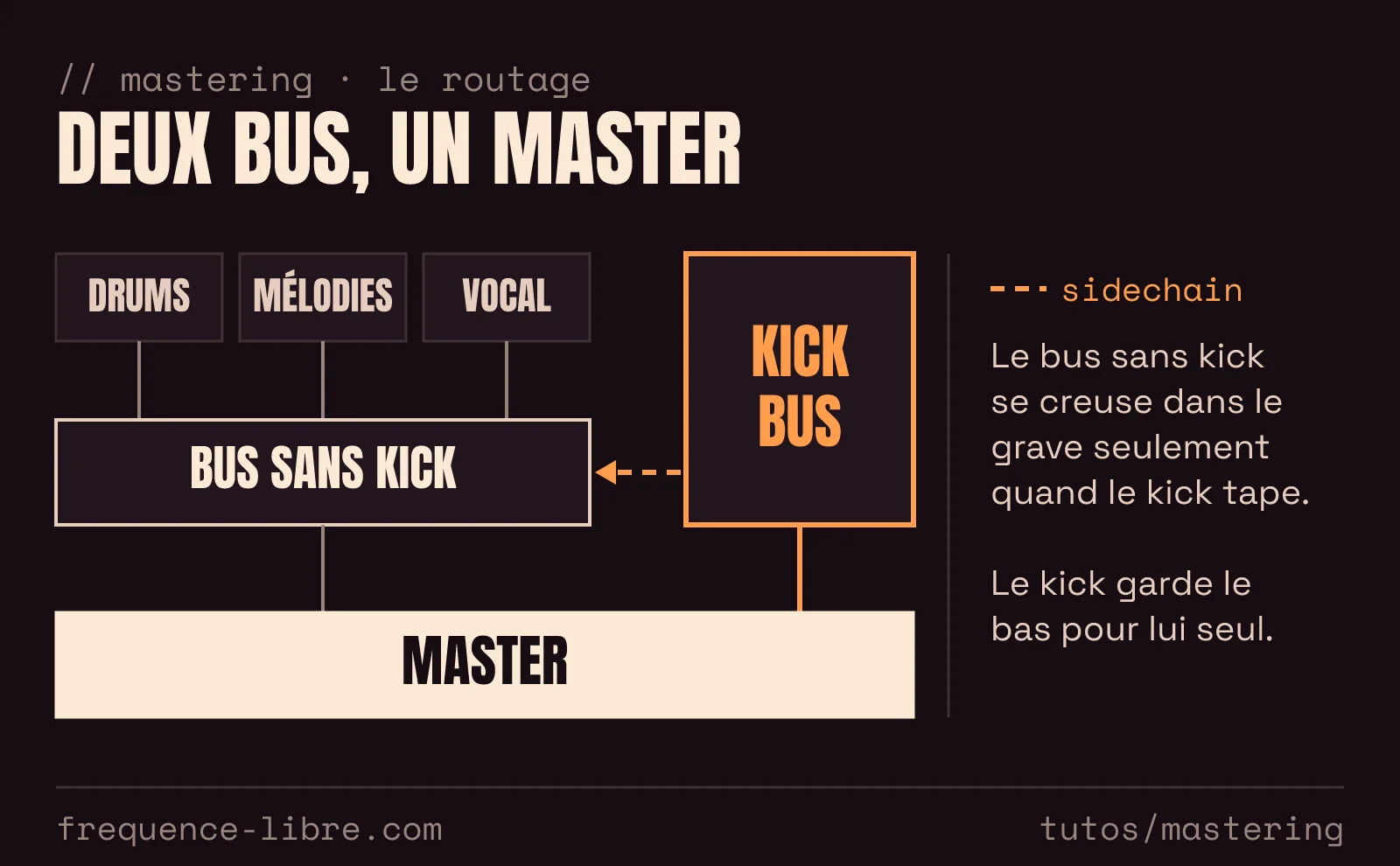
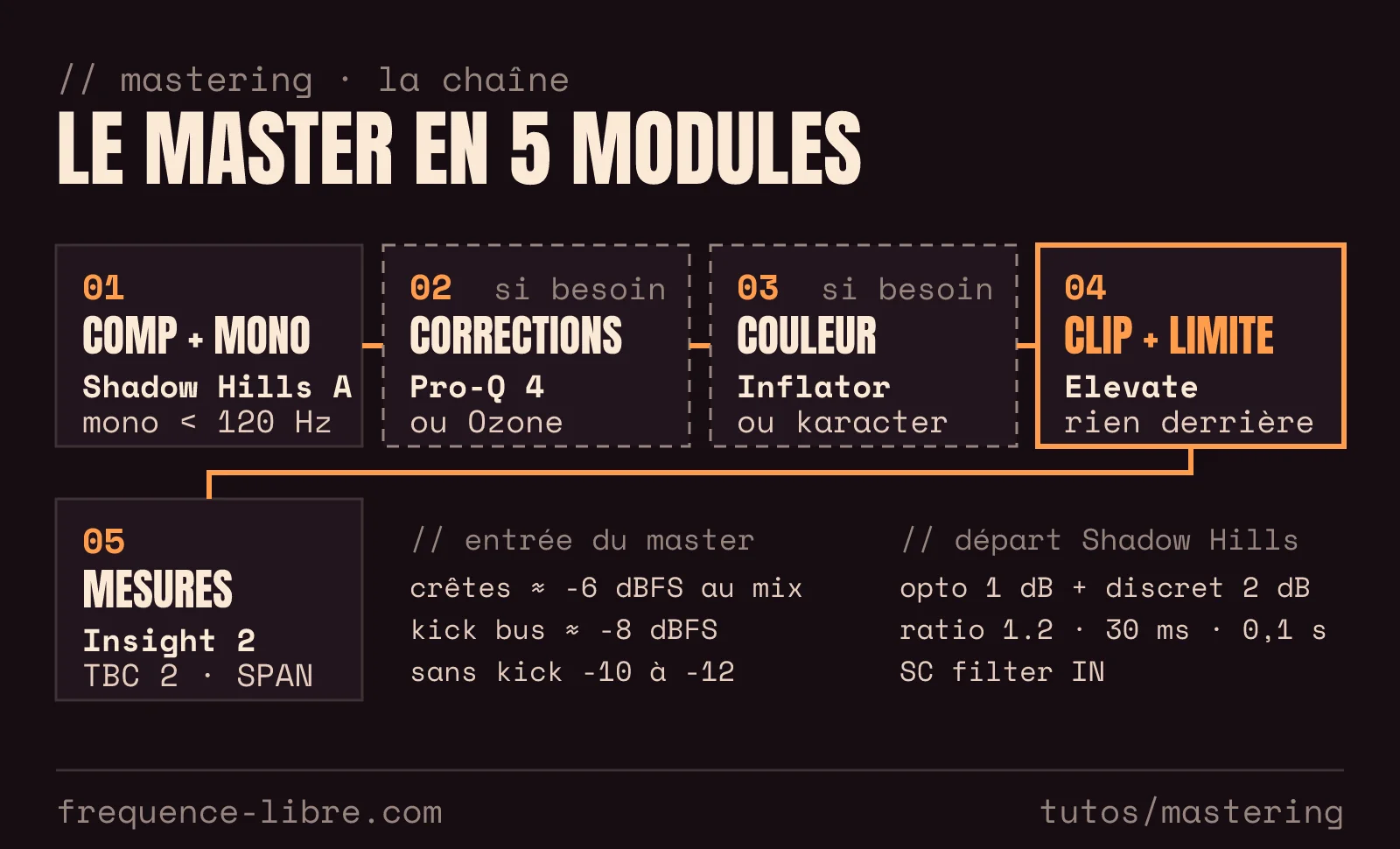
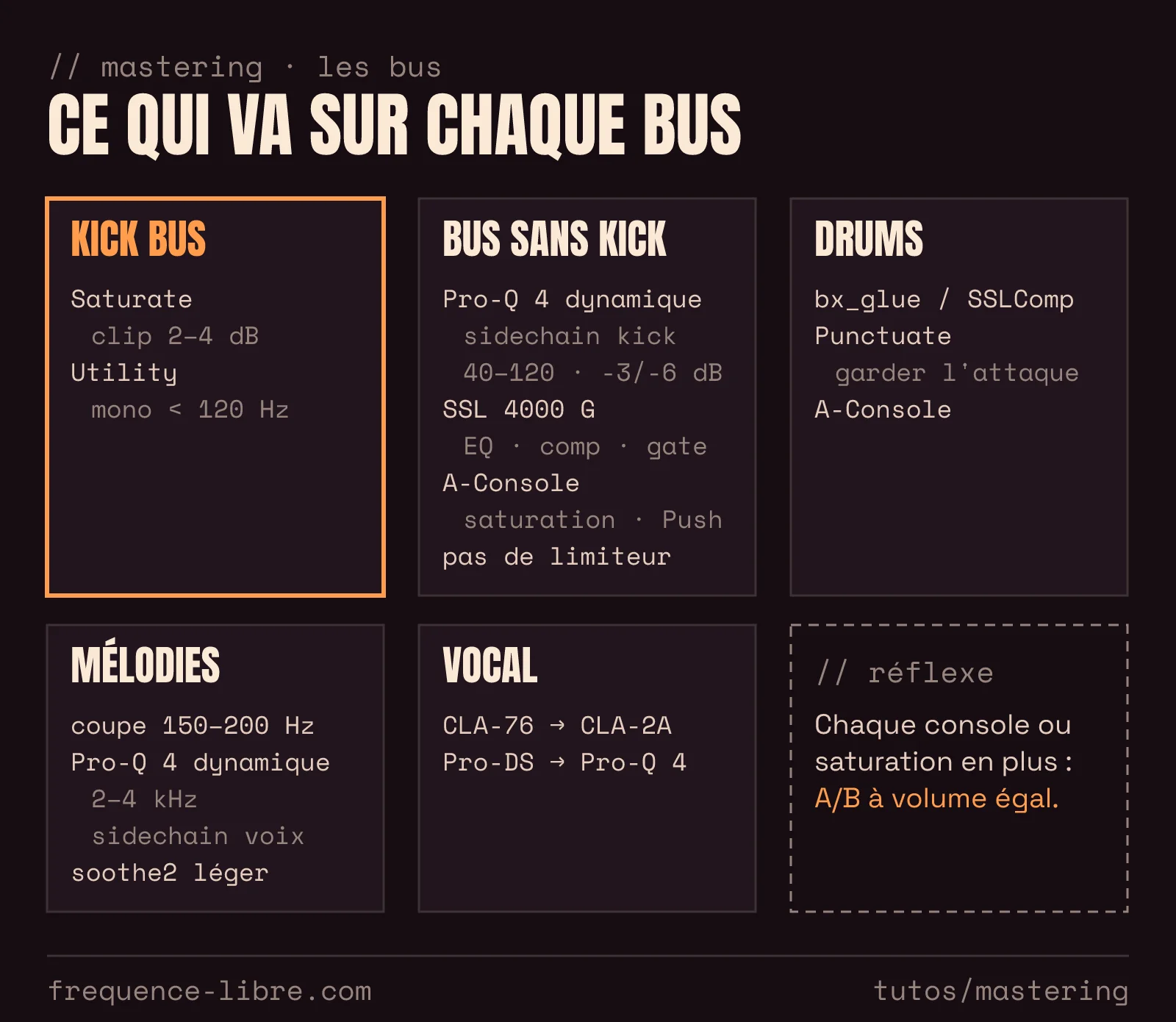
The two buses arrive at the master (see the Mixing folder). Six modules, in this order, and one single final stage: Elevate. The “if needed” modules only go in if the master asks for them.
04 · Corrections
Ozone
Clarity, Stabilizer
if needed06 · Metering
Insight 2 / TBC 2 / SPAN
Before the master: the level is set in the mix
No Utility to turn the master down: the input level is set in the mix.
- The kick bus peaks around -8 dBFS.
- The no-kick bus peaks below the kick, around -10 to -12 dBFS: the kick stays the loudest element.
- The master then peaks around -6 dBFS before the chain.
To bring the whole mix down without losing the balance: select every track and pull down the fader of one of them, they all drop by the same number of dB.
01 · Compression and mono low end
The Shadow Hills Class A does both: compression and mono low end (Mono Maker below 120 Hz). No need for another mono plugin.
Starting setting from its documentation:
- 1 dB of reduction on the optical + 2 dB on the discrete;
- ratio 1.2:1, attack 30 ms, recover 0.1 s;
- Sidechain Filter on IN, transformer to taste.
Turn the sidechain filter (HP-SC Filter) up until the compressor stops pumping on every kick. All the settings are in the “on the master” recipe.
02 · EQ (if needed)
If the master lacks highs or has a resonance: Pro-Q 4, a gentle high shelf (+1 to +2 dB around 8–10 kHz) is often enough.
The best fix is still at the source, in the mix (hats, melodies). No cut below 20 Hz: it does nothing useful here and pushes the master’s peaks up.
03 · Colour (if needed)
Inflator or karacter, only if the master needs it.
04 · Ozone (if needed)
Ozone (Clarity, Stabilizer): more brightness and clarity, adaptively. Loaded in the full Ozone plugin, with Gain Match switched on. Placed after the colour, it also balances out what the colour adds.
05 · Clip + limit
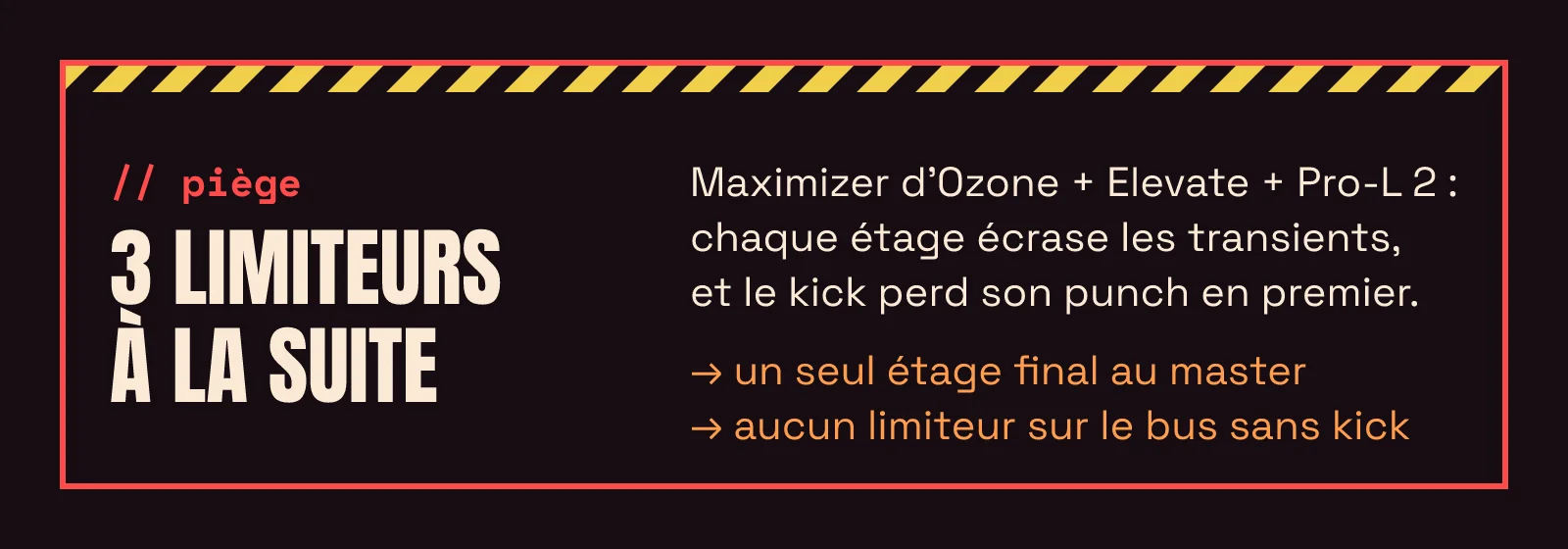
Elevate handles the limiter, the transients and the clipper on its own: it’s the last plugin that touches the sound. Nothing after it. It’s what brings the loudness up, with its Limiter Gain and its Drive.
Ceiling, True Peak and Drive: it’s all in Elevate’s “on the master” recipe. One single bounce, for the club and for the streaming platforms alike.
06 · Metering
Insight 2, TBC 2 and SPAN at the end: they measure, they don’t change the sound.
To measure the final bounce (integrated LUFS, LRA, True Peak) and compare it with your reference tracks: the LUFS meter.
The habits, from mix to master
Keep them throughout the mix, and check them again on the master.
- Compare at equal loudness (A/B, Utility): on the master, with an Insight 2 before and after (see above).
- Mono low end from the mix stage on (Utility, Bass Mono ~120 Hz); on the master, the Shadow Hills catches whatever is left.
- Check on Spectrum rather than by ear on speakers that don’t go low enough.
- Add a reference track to the project to compare spectrum and density.
The cheat sheet
All of mastering on 4 sheets to keep next to your computer (tap one to open it full size). The sheets are in French for now.
// on the same frequency
Related tutorials
The kick
Kick notes and tuning
Which note for a mentalcore kick (the F#1 to A1 zone, 46–55 Hz), the octave naming trap in Ableton, and how to pick a consonant note.
Intermediate · Ableton · 2 min
The kick
Making a kick, from layering to mixing
Attack, punch, tails that carry the sub: build a tekno / mentalcore kick layer by layer, tune the layers, make them hand over to each other, put them in phase, then glue them on the group without losing the low end.
Intermediate · Ableton · 5 min
The kick
Putting the layers in phase
Why two kick layers cancel each other out in the low end, and how to put them in phase: Phase Invert, a shift of a few ms, the start phase in Kick 3, a single sub source, and checking on Spectrum.
Intermediate · Ableton · 3 min