
// Newfangled Audio
Punctuate
A 26-band transient designer: brings out or softens the attack band by band, with 4 controls. Elevate’s transient engine, as a standalone plugin.
step 03 · Shape · Transient · Paid
How it works
It’s Elevate’s Transient stage, as a standalone plugin with more control: it brings out (or softens) the attack separately in each band.
01 · Stage 1
Filter Bank
Splits the sound into 26 bands modelled on the ear (Mel scale), linear phase triangular filters
02 · Stage 2
Transients per band
Each band brings out or softens its attack, set by 4 sliders for all 26 bands
03 · Output
Mix
Blend with the original sound
At 0 % Transient Emphasis, the sound comes out untouched. The bands stay independent: you can bring out the attack in one area and soften it in another (e.g. push the kick and calm the snare within the same sound).
The controls
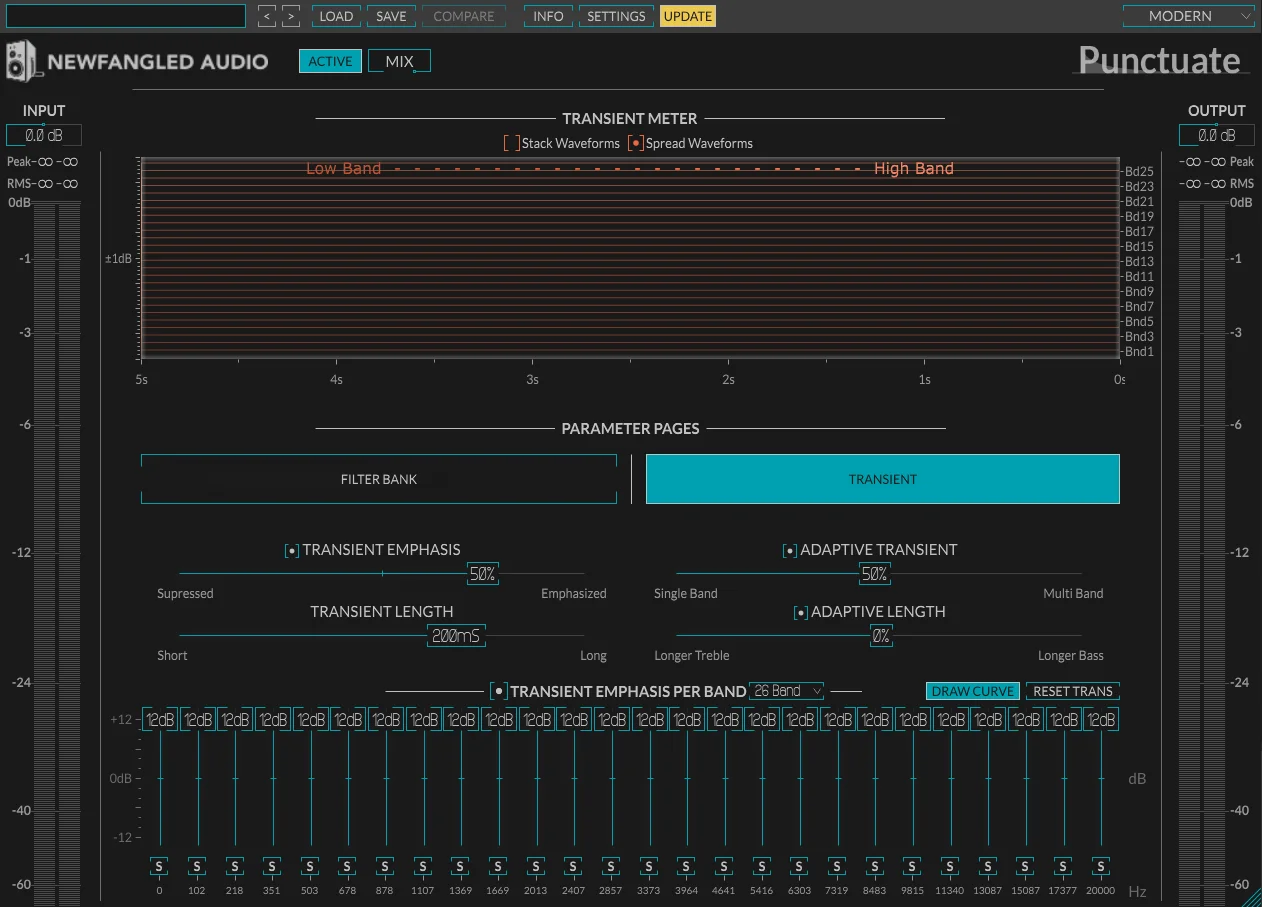
Transient
// Top and sides
- ACTIVETurns the whole of Punctuate on or bypasses it
- MIXBlends the processed and the original sound
- INPUTInput level, to set up the meters
- OUTPUTOutput level: AUTO compensates for the level change, the arrow gives you a manual knob
- TRANSIENT METERWhat’s being done to each band over time. Stack: all on the same axis; Spread: one line per band
- FILTER BANK · TRANSIENTThe two settings pages
// Transient page
- TRANSIENT EMPHASISSuppressed → EmphasizedThe main control: above 0 % it brings out the attack, below it softens it. At 0 %, the sound goes through untouched
- ADAPTIVE TRANSIENTSingle → Multi Band0 %: every band reacts the same. 100 %: each band only reacts to transients in its own range. In between: the most natural
- TRANSIENT LENGTHShort → LongWhat counts as “attack”. Short: only the very start. Long: more of the sound, but it recovers slowly and misses closely spaced transients
- ADAPTIVE LENGTHLonger Treble → Longer BassEach band adapts its length: usually longer and slower in the lows, shorter and faster in the highs. Changes the sound a lot
- TRANSIENT EMPHASIS PER BAND-12 → +12 dBEach band’s maximum (reached at 100 % Transient Emphasis). +12 dB by default; negative, the band softens instead of emphasising. The menu next to it: number of bands
- DRAW CURVEDragging draws a curve across all the bands; off: one band at a time
- RESET TRANSResets every band to 0 dB
- S (solo)Listen to one band on its own
Filter Bank
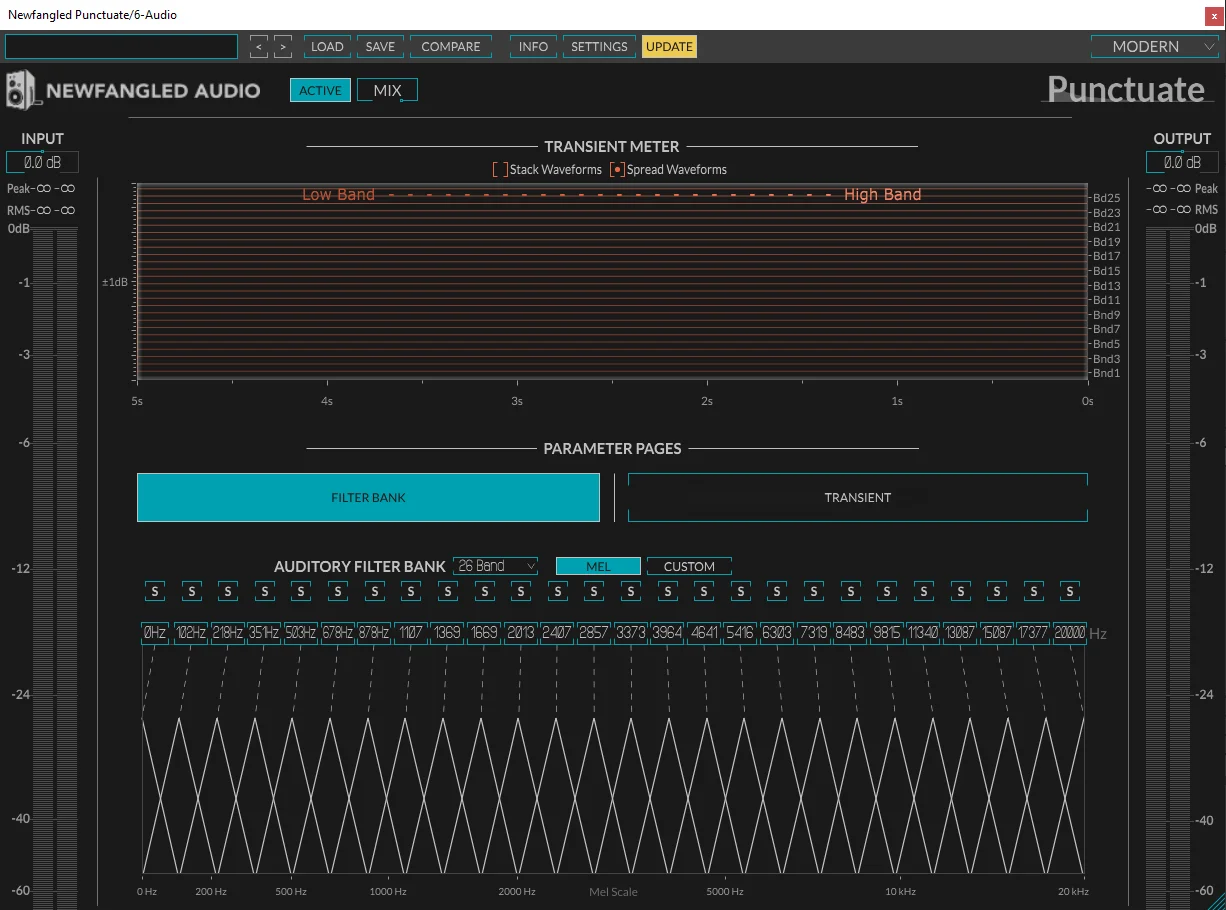
// Filter Bank page
- AUDITORY FILTER BANK1 → 26 bandsThe number of bands, spread over the Mel scale. It also changes the number of sliders on the Transient page. More bands = finer control, but more CPU
- MEL · CUSTOMMel: bands spread the way the ear hears. Custom: you move the frequencies, e.g. a band locked onto the kick to bring out its attack without touching the bass
- S (solo)Listen to one band on its own (Shift or Ctrl + click for several). The same solo as on the Transient page
- Centre frequenciesin HzThe centre of each band, adjustable
- Filter curveTriangular filters on the Mel scale: neighbouring bands overlap, so the sound stays smooth
Traps
My recipes
// recipe
Drum bus
To keep the attack of the drums. My values are coming once I’ve finished testing.
Why these settings: What goes on each bus// where I use it
In the tutorials
Mixing
What goes on each bus
The plugins on each bus of a tekno track: kick bus, no-kick bus, drums, melodies and vocal, with starting frequencies and amounts.
Intermediate · Ableton · 2 min